AI Detection Guides
Best AI Detectors for Teachers in 2026
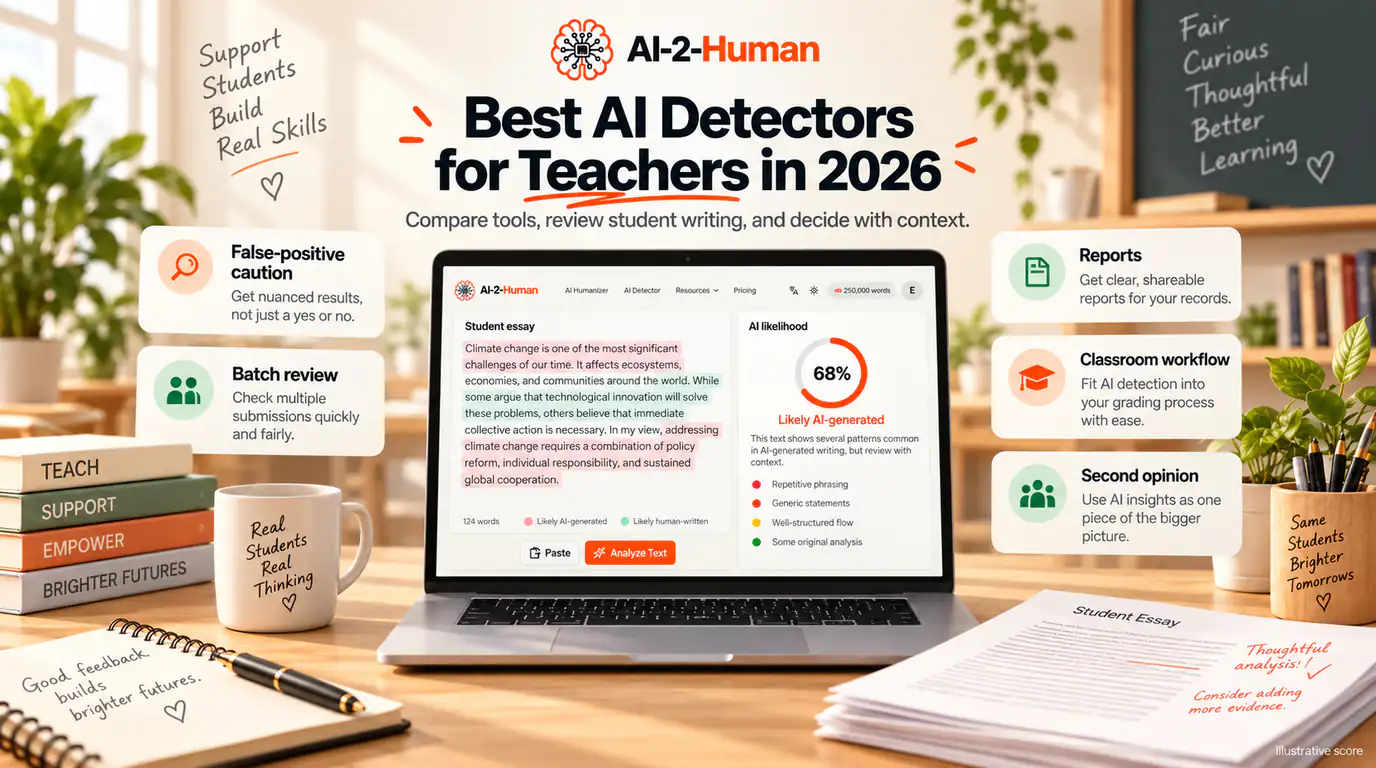
Teachers do not need another ranking of AI detectors. They need to know which one to open on Monday morning, what its limits are, and why a score is never proof of misconduct. This guide compares seven tools teachers actually meet: AI-2-Human, GPTZero, Turnitin, Copyleaks, Winston AI, Originality.ai and Grammarly. One rubric applies to every product, false positives are weighted heavily because a wrongly flagged student carries a real cost, and every claim is labelled: product documentation, vendor testing, independent benchmark, or a limit we verified ourselves. We did not run a laboratory test, and where that leaves a gap, we say so.
How we compared AI detectors for teachers
We did not run a hands-on detector test. A comparable test would need paid or institutional access to every tool, and Turnitin is not available to an individual reviewer at all. Instead of inventing percentages, this guide reports what each vendor documents, what independent benchmarks show, and what we verified ourselves, labelling vendor claims as claims.
Every product was assessed with the same eight criteria and the same published weights:
- Detection performance and consistency: 25%
- False-positive handling: 20%
- Result explainability: 15%
- Educator workflow: 15%
- Integrations and batch review: 10%
- Privacy and student-data handling: 5%
- Pricing and accessibility: 5%
- Free experience: 5%
Quick answer: which AI detector should teachers use?
The best detector depends on the workflow, not the accuracy figure on a homepage. GPTZero is the strongest choice for individual teachers and writing-process review, Turnitin fits institutions already running it, Copyleaks leads on LMS integration, Winston AI gives the most detailed visual review, Originality.ai is the cheapest paid option, Grammarly embeds detection in a writing ecosystem, and AI-2-Human is the fastest extra signal without an account.
- Best overall for individual teachers: GPTZero
- Best institutional academic-integrity workflow: Turnitin
- Best for LMS integration and combined AI plus plagiarism: Copyleaks
- Best for writing-process evidence: GPTZero Writing Replay and Grammarly Authorship
- Best free second opinion with no account: AI-2-Human
The seven detectors compared
Free access, limits and prices were checked in September 2026 on each vendor’s own pages; currencies differ where the page served a different locale.
- AI-2-Human: fastest no-account check. Free without an account, 500 words per check, 15 checks per 24 hours, a score plus a written explanation, no stored history.
- GPTZero: best all-round educator tool. Free 10,000 words a month, with batch uploads and LMS integration on paid plans.
- Turnitin: institutional integrity ecosystem. Provided by your school or university, not sold as a standalone checker.
- Copyleaks: widest LMS coverage. Free scans up to 25,000 characters without logging in, and AI plus plagiarism in one report.
- Winston AI: most detailed visual review. Free access is a 14-day trial with 2,000 credits, then paid plans from 10 EUR a month.
- Originality.ai: cheapest credit-based option. Free 3 scans a day, Pro $12.95 a month billed annually, where one credit covers 100 words of AI checking.
- Grammarly: detection inside a writing platform. AI Detector presented as part of the free product, with Authorship and plagiarism in paid plans.
Our recommendations by teaching workflow
There is no single winner: an individual teacher marking 60 essays and a department running an integrity policy have different requirements. These categories follow the rubric above, not the order of this page.
- Individual teacher marking alone: GPTZero, because its free tier, batch uploads and writing replay cover the whole review loop.
- Institution already running Turnitin: use the AI Writing Report you have, as one input rather than a verdict.
- AI and plagiarism in one report, inside your LMS: Copyleaks.
- Readable evidence to show a student: Winston AI, whose Human Score and prediction map visualise the document.
- Low-cost paid tool with a free habit: Originality.ai at 3 free scans a day.
- Detection where students already write: Grammarly, especially with Authorship enabled.
- A second signal in under a minute, with no account and no stored history: AI-2-Human.
One limitation on our own placement: AI-2-Human is built for single-text checks and has no batch administration, roster management or institutional reporting. It is a second opinion, not a replacement for a department workflow, and it is treated that way throughout this guide.
AI-2-Human AI Detector: best free second opinion
AI-2-Human is the fastest detector in this comparison to use. You paste text and get a result in seconds, with no account and no institutional setup. The result is deliberately plain: an AI score from 0 to 100, a verdict label, a breakdown between AI-like and human-like signals, and a short written explanation of what the model noticed.
- No account required, and no detection history is stored
- Minimum 50 words, up to 500 words per check without an account
- 15 checks per 24 hours free; 15 a day on a free account, 25 on Basic, 75 on Pro
- A written explanation in the interface language, not only a percentage
- Language-agnostic by design: the model analyses the text whatever language it is written in
- A Humanizer sits in the same product for rewriting passages that need work
What it does not do matters just as much for a teacher: there is no sentence-level highlighting, no batch upload, no plagiarism check and no report to attach to a student file. It gives you a score and an explanation, not a case file.
GPTZero: best overall for individual teachers
GPTZero is the only tool here that pairs detection with classroom-specific review features on a free tier. Its educator documentation lists plagiarism checking, citation and bibliography checks, writing feedback, and Writing Replay, which reconstructs how a Google Docs document was typed and edited. Integrations cover Chrome, Google Docs, Canvas, Google Classroom and Zapier, with custom LMS integration on the top plan.
Its compliance posture is documented as SOC 2, FERPA, GDPR, CCPA, HECVAT and VPAT, and it states that its models are debiased for a wide range of student writing, including ESL learners. GPTZero also publishes the most useful guidance of any vendor here: ask students to show their process, use writing reports, look for patterns across assignments, and treat detection as a conversation starter, because short or heavily edited passages are harder to assess.
Turnitin: best institutional workflow
Turnitin is a different kind of product. It reaches teachers and students through an institution, so an individual teacher cannot sign up and check a document, and it is not sold as a standalone free detector. Inside its own ecosystem it does two separate things: a Similarity Report that measures matching text against sources, and an AI Writing Report that estimates how much of the qualifying text looks AI-written.
Turnitin’s own documentation limits what the score can support. The AI Writing Report is separate from and independent of the similarity score. Only prose counts, at least 300 words are required, percentages between 1% and 19% are not surfaced at all, and paraphrase detection is English only. Turnitin also states that its model may misidentify human-written, AI-generated and AI-paraphrased text, and warns that the result should not be used as the sole basis for adverse action against a student.
Copyleaks: best for LMS integration
Copyleaks is the strongest option for a school that wants detection where submissions already live. Its documentation lists LMS integrations for Canvas, Moodle, D2L Brightspace, Blackboard, Schoology, Sakai and Edsby, plus a Google Docs add-on, browser extensions and an API. AI detection covers more than 30 languages and plagiarism more than 100, and both can appear in one report.
Its differentiator is explanation: AI Logic splits a result into AI Phrases, showing which passages carry statistically AI-like patterns, and AI Source Match, which identifies text that already appears online, with interactive reports that can be downloaded and shared. Analytics go down to the student and course level, and the Education plan is quoted through sales.
Vendor accuracy claims are high: more than 99% accuracy and a false-positive rate below 0.03% from internal testing of over half a million texts. Those are vendor claims, not independent measurements. Two facts matter regardless: free scans run to 25,000 characters, and basic grammar and spell checking is not flagged while AI rewriting can be.
Winston AI: best for detailed visual review
Winston AI is built for reading a document, not for a quick yes or no. Results come as a Human Score from 0 to 100 plus an AI Prediction Map that colours passages by how AI-like they look, so a teacher can see where a submission changes character. It accepts documents and images, applies OCR to scans, photographs and handwriting, and generates shareable PDF reports. Plagiarism checking is included, and detection covers 13 more languages.
The vendor states GDPR compliance and says submitted content is never used to improve its models. Pricing runs from 10 EUR a month for 100,000 credits to 26 EUR for 500,000, with up to 200,000 characters per scan. Free access is a 14-day trial with 2,000 credits rather than an ongoing tier: Winston is a paid tool with a trial.
Originality.ai: best low-cost paid option
Originality.ai sells credits rather than unlimited scanning, which suits a teacher who checks a handful of submissions a week. The free plan allows 3 scans a day up to 2,000 words with file uploads; Pro is $12.95 a month billed annually with 2,000 credits; Enterprise is $136.58 a month with 15,000 credits and 365 days of scan history. One credit covers 100 words of AI checking, so a 2,000 word essay costs about 20 credits.
Alongside the AI checker it includes a plagiarism checker, readability and grammar checks, a fact-checking aid and shareable reports. It is a publisher-oriented platform rather than an education suite, with no LMS integration or classroom administration layer, so it fits individual teachers better than institutions. Treat its accuracy figures as vendor claims.
Grammarly AI Detector: best inside a writing workflow
Grammarly approaches the problem from the writing side. Its AI Detector page presents the detector as part of the free product, showing a percentage of text that appears AI-generated with sentence-level notes, and the paying features that matter to a teacher sit around it: plagiarism detection, citation support, and Authorship, which categorises a document by where each part came from.
That combination is useful in a review conversation, because Authorship answers a process question rather than a statistical one. The limits are structural: Grammarly is not an integrity platform, has no institution-level case management or LMS review workflow, and its own documentation warns that detection is imperfect and shorter passages harder to measure.
Best free AI detector for teachers
First, separate ongoing free use from a trial. GPTZero keeps a free tier of 10,000 words a month, Copyleaks allows 25,000 characters per scan without logging in, Originality.ai allows 3 scans a day, Grammarly includes detection in its free product, and AI-2-Human needs no account at all for 500 words per check and 15 checks per 24 hours. Winston AI offers only a 14-day trial, and Turnitin access comes from your institution.
If you want the largest single free scan, Copyleaks is the tool to open. If you want the fastest check with no sign-up, no stored history and a written explanation, AI-2-Human is the one to bookmark, and its allowance is a daily habit rather than a monthly word count. For a full review loop with batches and process evidence, GPTZero is the strongest free option overall.
Individual teachers versus schools and universities
An individual teacher and a department have incompatible shopping lists, which is why no single tool wins this comparison. A teacher paying personally needs a low price, a check under a minute, a result they can interpret without training, and no procurement process. A school needs accounts and roles, bulk review, LMS integration, retention controls, audit trails, data-processing agreements and a vendor that will sign them.
- Individual teacher: GPTZero free or Premium, Originality.ai Pro, Copyleaks Personal, AI-2-Human free
- School or university: Copyleaks Education, GPTZero Professional or Enterprise, Turnitin through the institution
- Existing Turnitin institution: keep Turnitin and add a second signal for individual reviews
If you are buying alone, choose a tool that is honest about being small. If your institution is buying, choose one that can integrate, document its data handling and support a defensible process.
Educator decision matrix
Start from the task, not from the vendor list:
- A quick second opinion on one passage: AI-2-Human
- Writing-process evidence: GPTZero Writing Replay or Grammarly Authorship
- Detection inside your LMS: Copyleaks
- An institutional process already in place: Turnitin
- AI and plagiarism in one report: Copyleaks, Winston AI or GPTZero
- Batch uploads of many assignments: GPTZero Premium, Copyleaks Pro
- Cheapest paid option for a few checks a week: Originality.ai Pro
- Ongoing free checking without an account: AI-2-Human
Detection score versus writing-process evidence
A detector answers one question: does this final text statistically resemble machine-generated writing? That is a question about a document, not about how it came to exist, which is usually what matters in a misconduct process.
Writing-process evidence answers the second question. Version history, drafting stages, typing patterns, sudden wholesale pastes, source notes and revision timelines all describe how the work was made. GPTZero’s Writing Replay, which reconstructs a Google Docs session, and Grammarly’s Authorship report, which labels text by origin, exist for exactly this reason, and Google Docs keeps a revision history any teacher can request.
Both signals together are far stronger than either alone. A high score with a normal drafting history deserves a conversation, not an accusation, and a low score with a sudden full-essay paste deserves the same conversation. When the stakes are high, process evidence should weigh more than a percentage.
Why false positives matter more than missed detection
A false positive means human-written work was flagged as AI-generated. In a classroom that is not a rounding error: it is an accusation aimed at a student who did nothing wrong, and it lands hardest on the students whose writing is most formulaic, most translated or most heavily coached, including non-native speakers and students with certain learning profiles.
That is why false positives receive a 20% weight in the rubric above. Vendor claims such as Copyleaks’ below 0.03% describe a test set, not your students. Independent benchmarks show why caution is warranted: on RAID, detectors separate into clear tiers, and even the leaders trade off between catching AI text and flagging human text.
AI detection is not plagiarism detection
The two checks answer different questions. AI detection asks whether writing statistically resembles machine output; plagiarism and similarity checking ask whether text matches existing sources. A student can copy human-written work without using AI, and can submit AI-generated work that matches nothing online. Copyleaks, Winston AI, GPTZero and Grammarly offer both checks.
How teachers should use an AI detector
A detector belongs in the middle of a review, not at its start or its end. This sequence keeps a score in its proper place:
- 1
Read the submission first
Mark it as you normally would and form your own impression before a tool gives you a number.
- 2
Run the check and read the explanation
Look at which passages were flagged and why, not only the headline percentage.
- 3
Compare with the student’s earlier work
A shift in register or sentence rhythm is more informative than a single score.
- 4
Look for process evidence
Version history, drafts and typing patterns show how the document was made.
- 5
Check sources and citations
Fabricated references are a separate and unambiguous problem.
- 6
Ask the student to explain their reasoning
A short conversation about the argument often tells you more than the detector did.
- 7
Run a second detector if the result surprises you
Detectors disagree often; another reading is context, not a tie-breaker.
- 8
Apply your policy and explain your decision
Your policy, not the tool, defines what happens next.
Get a second AI detection signal
If another detector flags a submission and you want another perspective, paste the same text into AI-2-Human. A second model can give you more context before you decide whether the writing deserves closer review. Treat it as one more reading of the same document: it does not prove another detector wrong, and it does not replace the process evidence above.
Privacy and student data
Student writing is personal data, and a detector means sending it to a third party. The details matter more than the badge. GPTZero documents SOC 2, FERPA, GDPR, CCPA, HECVAT and VPAT compliance with limited retention and access controls, and Copyleaks documents SOC 2 and SOC 3, GDPR, PCI DSS and NIST RMF, plus a private cloud for institutions. Winston AI states GDPR compliance and that content is never used to train its models, and Originality.ai keeps scan history for 30 days on Pro and 365 days on Enterprise.
AI-2-Human takes a deliberately minimal approach: no account is needed, and detection results are not saved to a detection history, so a teacher between institutional tools gets an answer without leaving a student’s essay in a dashboard. If your institution requires a signed data-processing agreement, a formal tool is right for official records.
Pricing and limits, checked September 2026
Prices below are the vendor’s own published figures on the date checked, and currencies differ because the pages served different locales. Confirm them before you buy, and check whether a plan is billed monthly or annually before comparing two tools.
- AI-2-Human: no account needed; 500 words per check and 15 checks per 24 hours free; Basic $9.99/month or $4.99 billed annually, Pro $19.99 or $9.99, Unlimited $59.99 or $29.99
- GPTZero: free 10,000 words/month; Premium 9.99 EUR/month, 6.99 EUR billed annually (300,000 words); Professional 19.99 EUR, 13.99 EUR annually (500,000 words, batch uploads up to 250 files, LMS integration); Enterprise by quote
- Turnitin: not sold to individuals; pricing is part of an institutional licence
- Copyleaks: free scans up to 25,000 characters; Personal $16.99/month or $13.99 annually (100 credits); Pro $99.99 or $74.99 annually (1,000 credits, 25 seats); Education priced per enrolled student by quote
- Winston AI: 14-day trial with 2,000 credits; Essential 10 EUR/month, Advanced 16 EUR, Elite 26 EUR; custom enterprise plans
- Originality.ai: free 3 scans/day up to 2,000 words; Pro $12.95/month billed annually (2,000 credits); Enterprise $136.58/month
- Grammarly: AI Detector presented as part of the free product; plagiarism and Authorship in paid plans; education licences through Grammarly for Education
Before you submit: a practical checklist
- I read the submission myself before I ran any detector.
- I know whether the tool I used checks AI, plagiarism, or both.
- I looked at which passages were flagged instead of only the headline score.
- I compared the writing with the student’s earlier work.
- I looked for process evidence such as drafts, version history or typing patterns.
- I verified citations and sources separately.
- I treated a flag as a reason to look closer, never as proof of misconduct.
- I asked a second tool for another reading when the result surprised me.
- I checked what the tool stores and for how long before pasting student work.
- I followed my institution’s policy and explained my reasoning to the student.
Frequently asked questions
For individual teachers, GPTZero offers the most complete education workflow on a free tier: detection, plagiarism checking, citation checks and writing-process replay, with a 10,000 word monthly allowance. Turnitin suits institutions that already run their integrity process on it, Copyleaks is strongest for LMS integration, and AI-2-Human is the fastest way to get a second opinion without an account.
It depends on what you need. GPTZero keeps a genuine free tier of 10,000 words a month, Copyleaks allows the largest single scan, up to 25,000 characters, without logging in, Originality.ai allows 3 scans a day, and AI-2-Human needs no account at all for 500 words per check and 15 checks per 24 hours. Winston AI’s free access is a 14-day trial, not an ongoing free plan.
Try a free check →The most common institutional tool is Turnitin, because it is already part of many submission workflows. Outside formal systems, teachers most often use GPTZero, Copyleaks, Winston AI, Originality.ai or Grammarly, depending on whether they need plagiarism checking, batch review, writing-process evidence or a quick individual check.
Often, but never with certainty. Detectors look for statistical patterns typical of language models and can flag AI-generated text, mixed text and heavily edited text. The same tools also flag some human writing, especially formulaic or translated prose, and both Turnitin and GPTZero publish warnings about misidentification.
Accurate enough to prompt a closer look, not accurate enough to decide a case. Vendors claim accuracy above 99% with very low false-positive rates, while independent benchmarks show detectors separating into clear tiers with real trade-offs between catching AI text and flagging human text. Use a score as one input among several.
Yes. False positives are a documented limitation of every detector in this comparison, and they fall disproportionately on formulaic writing, translated text and work by non-native English speakers. That asymmetry is why false-positive handling carries a 20% weight in our rubric, and why no result should be presented to a student as proof.
No. A detector describes a document, not how it was produced. Combine the result with drafts, version history, previous submissions, source checks and a conversation with the student. Turnitin explicitly warns against using its AI result as the sole basis for adverse action, and GPTZero describes its tool as a conversation starter.
It is the strongest all-round option for an individual teacher. It combines detection with plagiarism checks, citation verification, writing feedback and Writing Replay, a reconstruction of how a Google Docs document was typed, and it documents SOC 2, FERPA, GDPR, CCPA, HECVAT and VPAT compliance. Its free tier covers 10,000 words a month.
Turnitin does not publish a single accuracy figure to rely on, and it states that its model may misidentify human-written, AI-generated and AI-paraphrased text. Its documentation also notes that only prose counts, that at least 300 words are required, that percentages between 1% and 19% are not surfaced, and that paraphrase detection is English only.
For institutions, yes. Copyleaks integrates with Canvas, Moodle, D2L Brightspace, Blackboard, Schoology, Sakai and Edsby, produces combined AI and plagiarism reports, explains results through its AI Logic feature, and offers analytics at student and course level. Individual teachers can use the free scans or a Personal plan, but institution features come through a sales-led education plan.
It is the best tool here for reading a document in detail. The Human Score, the colour-coded AI Prediction Map, OCR for scans and handwriting, and shareable PDF reports make results easy to review and discuss. Note that its free access is a 14-day trial with 2,000 credits, not a permanent free tier.
It is useful for individual teachers and small teams who check a few submissions a week. The free plan allows 3 scans a day up to 2,000 words, and Pro is $12.95 a month billed annually with 2,000 credits, where one credit covers 100 words of AI checking. It has no LMS integration or classroom administration layer.
Grammarly’s AI Detector is presented as part of its free product and shows a percentage of text that appears AI-generated with sentence-level notes. It also warns that detection is not perfect and that shorter passages are harder to measure. Its Authorship feature is often more useful for a review, because it categorises text by origin rather than scoring it.
Vendors make competing claims: Copyleaks cites a rate below 0.03% from internal testing of over half a million texts, and GPTZero describes one of the lowest rates in the industry. These are self-reported figures on different test sets, so they cannot be compared directly. Independent benchmarks are the better guide, and even there, no detector is free of false positives.
Regularly, and that is expected. Detectors use different models, thresholds and training data, and they update frequently, so the same passage can read as human on one and AI-generated on another. A disagreement is useful context, not proof that one tool is broken.
A second opinion is worth having when a result surprises you or when the consequences are serious. Start with the tool your institution provides, then check the same passage elsewhere for context. A fast no-account checker such as AI-2-Human is designed for exactly that moment.
Get a second opinion →Yes. Checking text requires no account, no payment and no institutional setup: 500 words per check and 15 checks per 24 hours. Paid plans start at $4.99 a month billed annually and raise the daily check limit, but a teacher who only needs a second opinion can use the free tier indefinitely.
Check my text →No. Detection results are not saved to a detection history, and checking text requires no account at all. Text is processed to produce the result you see. If your institution requires a retained audit trail for official records, a tool with a signed data-processing agreement is the better choice for that purpose.
No. AI detection estimates whether writing resembles machine-generated text, while plagiarism and similarity checking look for matches with existing sources. Students can plagiarise human-written work without using AI, and can submit AI-generated work that matches nothing online. Some tools, including Copyleaks, Winston AI, GPTZero and Grammarly, offer both checks.
Treat it as a reason to look closer. Read the flagged passages, compare the submission with the student’s earlier writing, check drafts and version history, verify sources, run a second detector if the result is unexpected, then ask the student to explain their reasoning. Apply your institution’s policy and never present a percentage as proof of misconduct.
Sources & editorial notes
- GPTZero: for educators
- GPTZero: pricing
- Turnitin: using the AI Writing Report
- Turnitin: understanding the similarity score
- Copyleaks: AI detector
- Copyleaks: academic integrity
- Copyleaks: pricing
- Winston AI: AI detector
- Winston AI: pricing
- Originality.ai: pricing
- Grammarly: AI Detector
- RAID: independent AI detector benchmark
This comparison is editorial. It uses vendor documentation, published vendor testing, independent benchmarks such as RAID, and limits we verified in the products themselves in September 2026. We did not run a hands-on detector test, and no accuracy figure here should be read as our own measurement. Prices, limits and features change often, so verify them before buying or recommending a tool. No AI detector in this guide should be used as the sole basis for a decision about a student, and institutions should apply their own policies on AI use and student data.
Updated