AI Humanizing Guides
AI Humanizer for Winston AI
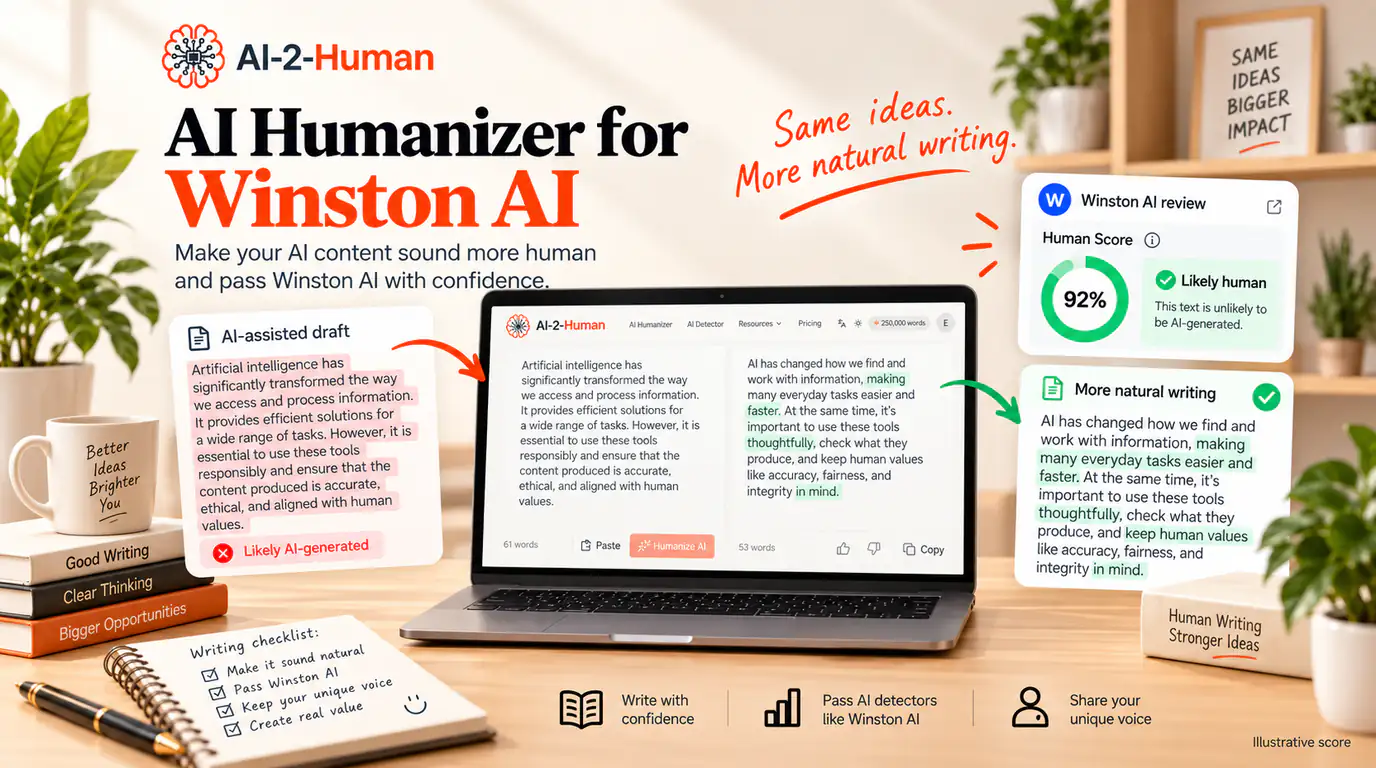
Looking for an AI humanizer for Winston AI? AI-2-Human rewrites repetitive, formulaic AI-assisted text into more natural, varied writing before you review or scan it. Instead of swapping a few synonyms, it works on sentence structure, wording and flow, so the final draft reads better even if no detector were ever involved. Winston AI, for its part, evaluates the whole document through a Human Score and highlights passages in its AI Prediction Map. Rewriting changes the writing patterns that analysis looks at, so the score can move, but no tool can promise a particular Winston AI result. This guide shows the workflow, the rewrite principles and the limits worth knowing.
Quick answer
AI-2-Human works as a Winston AI humanizer in the practical sense: you rewrite an AI-assisted draft into more natural language before you check it. It targets repetitive wording, uniform sentence length and flat transitions while keeping your original idea at the centre of the text.
Winston AI says that content run through a paraphrasing tool or an AI humanizer will often score higher on its Human Score than unmodified AI output, and that its detector is specifically trained to identify humanized content, while heavily rewritten text can reduce prediction confidence. Treat that as context, not as a target: rewrite for quality and meaning, then read the result yourself.
What is a Winston AI humanizer?
A Winston AI humanizer is not an official Winston AI product name. It is the phrase people use for a rewriting tool that makes AI-assisted writing sound more natural before that writing is reviewed with Winston AI. The two jobs are different: a humanizer changes the writing, a detector analyses it.
AI-2-Human is built for the first job. It rewrites repetitive, predictable or overly uniform AI text into a draft you can then review, personalise and verify. It is independent software, not part of Winston AI, and it does not need a Winston AI account to work.
How Winston AI evaluates writing
According to Winston’s documentation, its model evaluates multiple linguistic signals together rather than looking for one giveaway, and it is trained on verified human writing as well as AI-generated text. The main result is the Human Score, a document-level estimate. The AI Prediction Map breaks the same document into smaller sections and colours them, and the results panel can list the sentences that influenced the overall prediction most strongly.
Winston states clearly that the overall Human Score is the primary result, because sentence-level scores rest on much smaller samples. It also describes text length and content type as the biggest influences on reliability: long-form prose scans well, while short social posts, bullet lists, transcripts and translated text give the model less to work with. If you want the deeper accuracy picture, including benchmark results and false-positive behaviour, our separate guide covers how accurate Winston AI is.
What the Human Score actually means
Winston presents the Human Score as a percentage from 0% to 100%. A score near 100% means the document strongly resembles verified human writing; a score near 0% means it strongly resembles AI-generated text. A score near the middle is less conclusive, and Winston lists the reasons: mixed authorship, heavy editing, too little text, translated material, or writing that simply does not send a strong signal in either direction.
The detail most people get wrong is what the number represents. Winston states that the score is a prediction, not a measurement of how much of the document was written by AI: a 20% Human Score does not mean that precisely 80% of the words were generated by AI. Reading it as a word-level authorship split leads to conclusions the tool does not support.
- 0 to 20: AI Generated
- 20 to 40: Likely AI
- 40 to 60: Uncertain
- 60 to 80: Mostly Human
- 80 to 100: Human Written
Those five bands are Winston’s own labels for the AI Prediction Map. Winston also warns against averaging sentence scores or treating one highlighted sentence as proof, because a short sentence carries far less evidence than a whole document.
Winston AI — How do we interpret the results from an AI text scan?
Can Winston AI detect humanized text?
Yes, and Winston says so itself. Its documentation states that AI content run through a paraphrasing tool or an AI humanizer will often score higher on the Human Score than unmodified AI output, and that Winston AI is specifically trained to detect humanized content. The same page adds the qualifier that matters: heavily rewritten text can reduce confidence, and a moderately elevated Human Score on paraphrased content does not necessarily mean the text is human-written.
So a humanizer is not a switch you flip to control a score. Two forces pull in opposite directions. Rewriting changes the surface patterns the model reads, which can move the number. At the same time, the model has been built to look for the fingerprints of exactly that kind of rewriting, and after enough of it the text carries fewer reliable signals for anyone to judge.
That is why the workflow below is not a bypass routine. It is a writing routine: rewrite for clarity and variety, put your own reasoning back into the text, verify the facts, and only then look at what a detector says. The strongest rewrite improves the document even if it is never scanned.
Why AI drafts still sound machine-written
Ask a model for a paragraph and you usually get something grammatically clean and strangely interchangeable. Nine habits show up again and again in unedited AI drafts:
- The same transitions return every few sentences: “moreover”, “furthermore”, “in conclusion”
- Sentence lengths cluster in a narrow range, so every line has the same rhythm
- Paragraphs are suspiciously symmetrical, each with a claim, an example and a closing line
- Claims stay general because nothing specific had to be true
- Introductions set up the topic instead of starting an argument
- Conclusions repeat the introduction in different words
- Qualifiers pile up: “significant”, “robust”, “crucial”, “in today’s world”
- Wording is polished while the reasoning stays thin
- Every paragraph ends on a neat, safe note
None of this is proof of anything on its own, and Winston does not publish its internal signals. Treat the list the way an editor would: as a set of clues that usually means the writing needs work. These are also exactly the problems a focused rewrite can fix.
How AI-2-Human humanizes a draft
AI-2-Human rewrites the language itself rather than relying on formatting tricks. It varies sentence structure, trims repeated wording, rebuilds transitions and smooths the mechanical rhythm that makes AI drafts tiring to read, while keeping your central meaning and your facts where they are. It offers three modes: standard for the lightest touch, academic for coursework and reports, and casual for posts and messages.
- Sentence variety: long and short sentences mix like they do in human writing
- Less repetition: recurring phrases and filler transitions are rewritten rather than shuffled
- Clearer transitions: paragraphs connect through ideas, not through stock connectors
- Better rhythm: the text stops sounding like one continuous tone
- Preserved meaning: your argument, numbers and names stay in place
- No account needed to try: paste up to 200 words and read the full rewrite
The rewrite is a draft, not a finished document. Adding your own examples, restoring the details only you know, and reading the result aloud is what turns a better-sounding paragraph into writing that is genuinely yours.
A practical AI-2-Human and Winston AI workflow
This sequence keeps the rewrite and the check in their proper places:
- 1
Paste your AI-assisted draft
Use the real draft, not a sample, so the rewrite tells you something about your own writing.
- 2
Humanize it in AI-2-Human
Pick academic, casual or standard mode depending on the document and the reader.
- 3
Read the full rewrite
Compare it with your original and check that the meaning, numbers and names survived.
- 4
Put your own reasoning back
Add the examples, context and judgement that only you can supply. This is the step readers notice.
- 5
Verify facts, numbers and citations
Rewriting never fixes a wrong date, an invented source or a misquoted line.
- 6
Scan a long enough sample with Winston AI
Winston asks for at least 500 characters and recommends around 300 words or more, ideally the whole document.
- 7
Read the Human Score in context
Look at the overall score, the Prediction Map and the sentences driving the result, then decide what to change.
Before and after: from formulaic to natural
Here is the kind of change this workflow is aiming for. The first paragraph is written the way an unedited AI draft usually reads.
Before
Artificial intelligence has become increasingly important in the modern workplace. Furthermore, it provides numerous benefits for businesses and employees. Moreover, AI can increase efficiency and improve productivity. Therefore, companies should embrace artificial intelligence to remain competitive.
After
AI is most useful at work when it removes a specific bottleneck. A support team, for example, might use it to sort repeated requests before an agent reads them. That can save time, but the final decision still belongs to the person who understands the customer and the context.
What can change a Winston AI Human Score
Winston documents the factors that affect its results, and knowing them prevents a lot of misreading:
- Text length: longer samples give the model more evidence, and very short snippets are less reliable
- Content type: essays, articles and reports scan well, while lists, transcripts and translated text do not
- Human editing: significant human editing can lower the AI signal even on an AI-generated original
- Mixed authorship: documents a person edited or partly wrote produce blended scores
- Paraphrasing and humanizing tools: these often raise the Human Score, while heavy rewriting can reduce confidence
- Language and translation: translated material behaves differently from writing produced directly in the language
- Model version: Winston updates its model, so the same text can score differently over time
Mixed authorship: AI, human, and everything between
Most real documents are not pure. You may have outlined with AI, drafted two sections yourself, asked a model to tidy one paragraph and edited the rest by hand. Winston notes that documents where a human edited AI content, or the reverse, produce mixed signals, and it recommends the sentence-level Prediction Map as the best tool in that situation, because it shows which sections push the overall score.
If you used AI for part of a document, say so and identify the part. A clear account of what the model did and what you did is more persuasive than any score, and it is the version of the story a reader or a reviewer can actually verify.
How much text should you scan?
Winston requires at least 500 characters to run a scan and recommends aiming for around 300 words or more, saying that the more text you provide the more accurate the result. The same guidance explains why one-line experiments mislead: a single sentence gives the model almost nothing to work with, and its classification is naturally less reliable than a full document.
In practice, that means comparing a before and after rewrite with a substantial passage, not with the paragraph you happened to paste first. Winston also suggests removing headers, footnotes and bibliographies before scanning, since they add noise rather than signal, and rescanning with more of the document rather than repeatedly scanning the same short excerpt.
Common mistakes when humanizing AI text
Most bad rewrites fail in predictable ways. Avoid the following:
- Swapping in random synonyms, which produces unusual word choices and broken collocations
- Making every sentence longer, which adds padding but no information
- Adding grammar mistakes on purpose: it reads as carelessness, not humanity
- Inserting invisible characters or changing formatting instead of writing
- Shuffling bullet points and headings rather than improving the prose
- Replacing technical terms with vaguer language the reader needs
- Repeatedly rewriting passages that were already good
- Accepting a rewrite without reading it end to end
- Changing facts or numbers by accident during the rewrite
- Dropping citations, or losing the link between a claim and its source
- Chasing a Human Score instead of the writing
The last one covers the rest. If the rewrite would not survive being read by the person the document is for, the score was never the point.
What to do if Winston AI still flags the text
An unexpected result is information, not a verdict. Winston itself recommends using a score as one piece of evidence rather than a decision, especially for high-stakes calls, and notes that false positives and false negatives are possible. Work through the list rather than the number:
- Scan enough text: a complete document, or at least 300 words of prose
- Check the content type: prose scans well; lists, transcripts and translated text do not
- Read the overall Human Score before the sentence map
- Open the AI Prediction Map and look at the sections driving the result
- Read those passages yourself and ask whether they really are repetitively written
- Add your own reasoning or examples where the writing is thin
- Verify facts, numbers and citations one by one
- Run a second detector for another reading if the result still surprises you
- Keep the improvements you already made, even if one score stays unexpected
Want another detection signal?
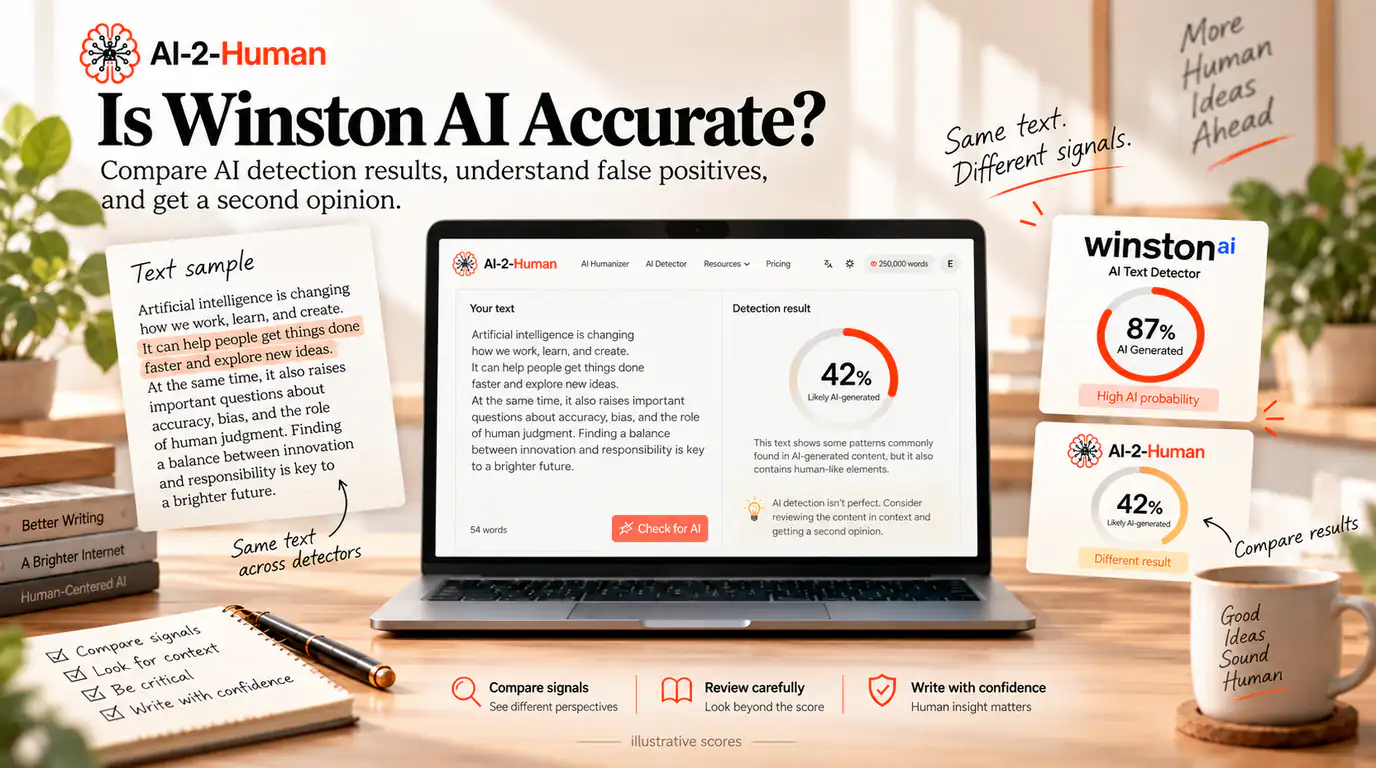
Different detectors use different models, thresholds and training data, so they often disagree on the same passage. If a Winston AI result leaves you unsure after you have read the highlighted text, run the same passage through the AI-2-Human AI Detector and compare the two readings side by side.
Treat it as a second opinion, not as proof that Winston is wrong. Two readings give you more context about a document, and neither replaces the reading you do yourself.
One loop: humanize, review, detect, refine
The workflow only works if the last step feeds the first. In practice it looks like this:
- 1
Humanize
Rewrite the draft in AI-2-Human so the prose stops repeating one rhythm.
- 2
Review
Read the rewrite against your original and add the detail only you can supply.
- 3
Detect
Check the improved passage with an AI detector, and with Winston AI if it is part of your workflow.
- 4
Refine
Rewrite only the passages still flagged for real writing reasons, then read the result again.
Two tools make that loop easy: AI-2-Human’s Humanizer and AI Detector share one free tier and need no account to try, so rewriting and checking do not require two subscriptions or two workflows.
Winston AI has writing feedback too
Winston is not only a detector. Its scan options include a writing feedback feature that suggests grammar corrections, paraphrasing and clarity edits, and its own tool page describes the problem in familiar terms: AI-generated drafts can sound repetitive, overly formal or unclear. It also offers a fact checker and an essay grader, and its Explain panel can summarise a result in plain language and suggest how to make flagged writing sound more human.
Winston’s feedback works inside a scan you have already run, and it is tied to your plan and credit balance. AI-2-Human is dedicated to rewriting: you paste a draft, choose a mode and get a natural version back, before any scan. The two are complementary. Use Winston’s feedback for targeted corrections after a scan, and use a dedicated humanizer when the whole draft needs to read more naturally first.
Before you submit: a practical checklist
- I pasted a real draft, not a sample.
- I chose a rewrite mode that matches the document and its reader.
- I read the full rewrite and compared it with my original.
- I checked that facts, numbers and names were not changed.
- I added my own reasoning, examples and context.
- I verified citations and sources separately.
- I scanned a substantial passage, ideally the whole document.
- I read the Human Score, the Prediction Map and the sentences driving the result together.
- I treated the score as one signal rather than a verdict.
- I kept the writing improvements even if a score stayed unexpected.
Frequently asked questions
It is a rewriting tool used to make AI-assisted writing read more naturally before that writing is reviewed with a detector such as Winston AI. AI-2-Human is designed for that workflow: it improves wording, sentence variety and flow while keeping the core message in place. It is not a Winston AI product.
Humanize my text →Yes. AI-2-Human rewrites AI-generated and AI-assisted text into more natural prose that you can review, personalise and then scan. It does not promise a particular Winston AI score, because the result depends on your text, the amount of rewriting and the current model.
Try the humanizer →Winston says its detector is specifically trained to detect humanized content, and its documentation notes that AI text run through a paraphrasing tool or humanizer will often score higher on the Human Score than unmodified AI output, while heavily rewritten text can reduce confidence. In other words, detection is possible and a higher score is not proof of human authorship.
It can, because rewriting changes the writing patterns the model evaluates. Winston is explicit that paraphrasing and humanizer tools may affect the score and that heavy rewriting can lower prediction confidence. Treat a changed score as information about the text, not as a guarantee you can engineer.
Winston presents the score as a percentage from 0% to 100%, where higher means the document more closely resembles verified human writing. It does not publish a universal pass mark, and it warns that a mid-range score is less conclusive because it can reflect mixed authorship, heavy editing, translated material or simply too little text.
No. Winston states that the score is a prediction rather than a measurement of how much of the document was written by AI, and that a moderately elevated score on paraphrased content does not necessarily mean the text is human-written. A 20% score, for example, does not mean exactly 80% of the words came from AI.
Winston requires at least 500 characters to run a scan and recommends around 300 words or more, saying longer samples are more accurate. The overall Human Score is more reliable than sentence-level results, especially on shorter passages. For before and after comparisons, use a substantial passage or the full document.
Winston says its model is trained on verified human writing and AI-generated text, including output from major language models, and it evaluates several linguistic signals together. Detection is a prediction task, so results vary with text length, document type and how much the text was edited or rewritten afterwards.
Often yes. Winston documents paraphrasing and humanizing tools as a factor that changes scores, and says it is trained to detect humanized content. It also notes that heavy rewriting can reduce prediction confidence, which is why a mid-range score should be read as inconclusive rather than as a clean result.
Winston can analyse any sufficiently long text submitted to it, including rewritten text. Whether a given AI-2-Human draft is classified as human-like, mixed or AI-like depends on the text, the rewrite and the current Winston model. AI-2-Human improves the writing rather than guaranteeing a detector outcome.
Check a passage →If the draft is repetitive, formulaic or padded, rewriting it first is good editing, and the check is more meaningful afterwards. Rewriting for a score alone usually makes the writing worse. Improve the text, add your own substance, then scan.
Humanize my text →Scan a longer sample, check whether your content type is one Winston considers reliable, read the overall score before the sentence map, review the passages driving the result, add your own reasoning where the writing is thin, verify facts and citations, and consider a second detector for another reading. Winston itself recommends treating a score as one piece of evidence rather than a decision.
Get a second signal →Regularly, because detectors use different models, thresholds and training data, and they update over time. Winston documents the factors that shift its own results, including length, content type, editing and rewriting. A disagreement is useful context rather than proof that one tool is wrong.
You can rewrite text without paying or registering: paste up to 200 words and read the full rewrite, with 5 rewrite runs per 24 hours for guests. A free account raises the monthly allowance, and paid plans start at $4.99 per month billed annually.
Try it free →No. The humanizer and the AI Detector both work without an account, which makes the rewrite-and-check loop easy to try. Signing in adds a history of your rewrites, which you can delete at any time, and raises your monthly word allowance.
Sources & editorial notes
- Winston AI — What types of content can I scan?
- Winston AI — How do AI detectors work?
- Winston AI — How do we interpret the results from an AI text scan?
- Winston AI — Are AI detection tools accurate?
- Winston AI — How to use Winston AI for text analysis
- Winston AI — Writing feedback tool
AI-2-Human is not affiliated with or endorsed by Winston AI. Winston AI documentation was reviewed on 20 September 2026, and detector behaviour can change as its models are updated. Humanizing changes the writing patterns a detector evaluates, so a result may differ, and no rewriting tool can guarantee a specific Winston AI Human Score. Vendor documentation is quoted as documentation, not as independently verified measurement. Rewrite for quality and meaning, keep your facts and citations intact, and treat any detector score as one signal among several.
Updated